Building Headscale from Source
This post is adapted from my personal blog and documents a practical workflow to build Headscale from source on Windows + WSL2 + Ubuntu, including common build errors and fixes.
Original post: Using Headscale Source Code to Build and Package
Context
- OS: Windows 11 + WSL2 Ubuntu 24.04 LTS
- Example version: Headscale v0.26.1
- Repository: github.com/juanfont/headscale
- Recommendation: clone with Git instead of downloading a source archive
Environment Setup
1) Clone the source
git clone https://github.com/juanfont/headscale.git

# Checkout v0.26.1
git checkout -b release-v0.26.1 v0.26.1
Then copy config-example.yaml to config.yaml in the project root.
2) Configure WSL
Create .wslconfig in your Windows user directory (for example, C:\Users\XXX):
[wsl2]
nestedVirtualization=true
ipv6=true

[experimental]
autoMemoryReclaim=gradual
networkingMode=mirrored
dnsTunneling=true
firewall=true
autoProxy=true
Restart WSL before continuing.
3) Install Nix (Multi-user)
sh <(curl --proto '=https' --tlsv1.2 -L https://nixos.org/nix/install) --daemon
Reference: nixos.org/download
Build Flow
Run build steps as a regular user (do not run make build as root):
# Enter source directory
cd /mnt/c/Users/XXX/Documents/develop/0me/headscale

# Enter dev shell
nix develop

make generate
make test
make build

# Check build output
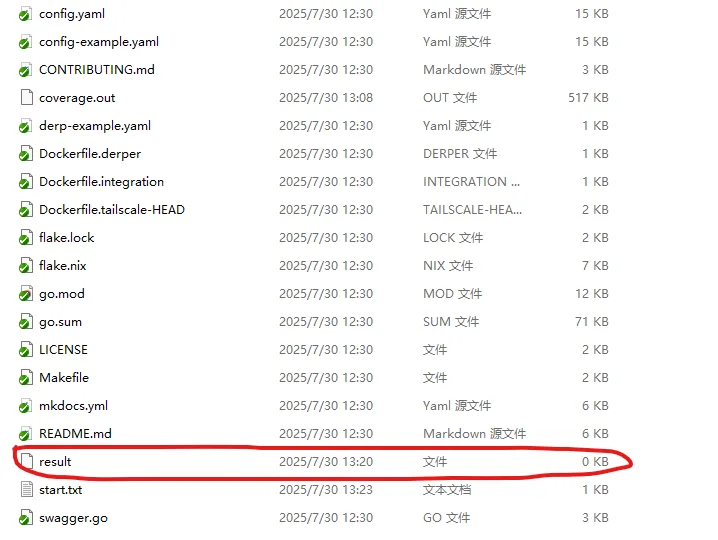
ls -la result/
cd result/bin
./headscale version
After a successful build, a result directory is generated.

Running the Binary
After copying the built binary to a target server, check dependencies first:
ldd headscale
file headscale
If your binary points to a Nix interpreter path, prepare the required path and linker file based on ldd output. Also verify that config.yaml, /root/.headscale/, and /var/lib/headscale/ exist with correct permissions.
Packaging as Docker Image
If you want to package the source-built binary into a Docker image, see: Headscale series: package source-built headscale as Docker image
Common Build Errors
Issue 1: dirtyShortRev missing
When make build fails with attribute 'dirtyShortRev' missing, add a fallback in flake.nix:
headscaleVersion = if self ? shortRev
                  then self.shortRev
                  else if self ? dirtyShortRev
                  then self.dirtyShortRev
                  else "v0.26.1";
Issue 2: missing config.yaml during test phase
If build fails in checks, prepare config and build binary directly:
cp config-example.yaml config.yaml
go mod tidy
go build -o headscale ./cmd/headscale
Issue 3: nix-command disabled
echo 'experimental-features = nix-command flakes' >> /etc/nix/nix.conf
Run the config command with root.
Issue 4: flake.nix not found
If nix develop reports no flake.nix, switch to the source directory first, then retry.
Issue 5: initdb cannot run as root
PostgreSQL init in tests cannot run as root. Use a regular user for the build and test flow.
Manual Dependencies
# Install Buf
go install github.com/bufbuild/buf/cmd/buf@v1.55.1

# Install Protobuf
sudo apt update
sudo apt install protobuf-compiler
This article is mirrored on the Larktun blog. For source updates and original context, refer to: Using Headscale Source Code to Build and Package