Headscale SaaS Seamless User Switching
· 2 min read
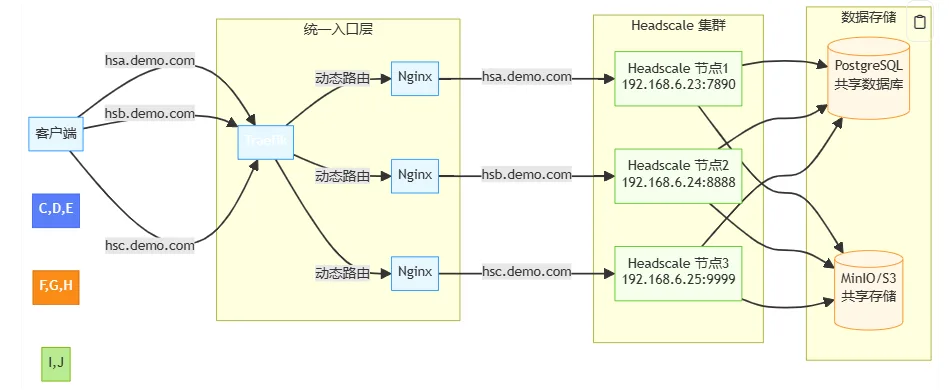
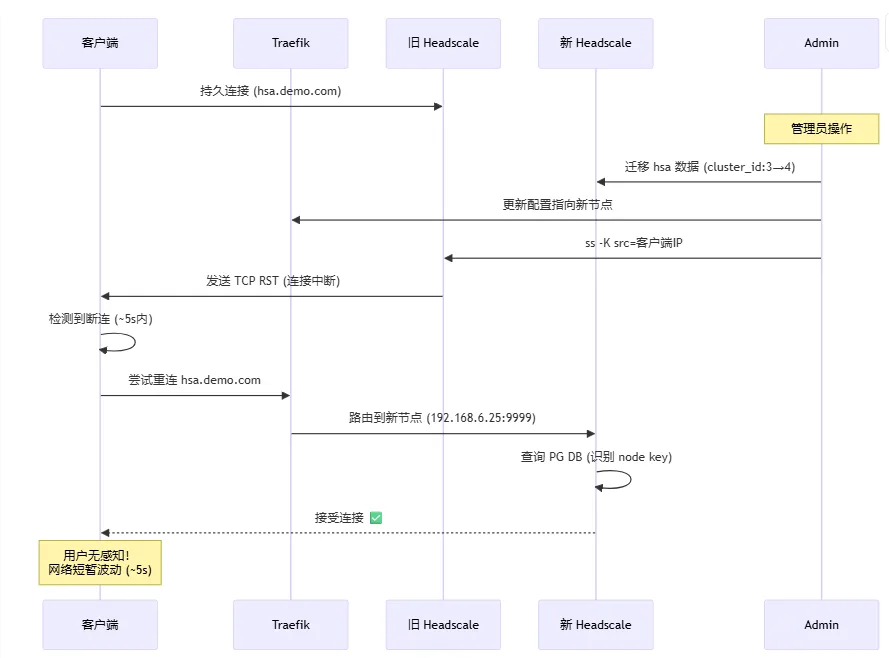
When scaling or rebalancing a Headscale SaaS deployment, the key challenge is how to migrate users with minimal disruption. This post presents a practical pattern: dynamic routing + system-level targeted disconnect + automatic reconnect.
Original post: headscale-系列:Headscale-SaaS-环境下的用户无缝切换实战
Architecture Recap
- User subdomains (for example
hsa.demo.com) point to Traefik. - Traefik routes by host to a target headscale node.
- Backend data is isolated and migrated by
cluster_id.
Migration Challenge
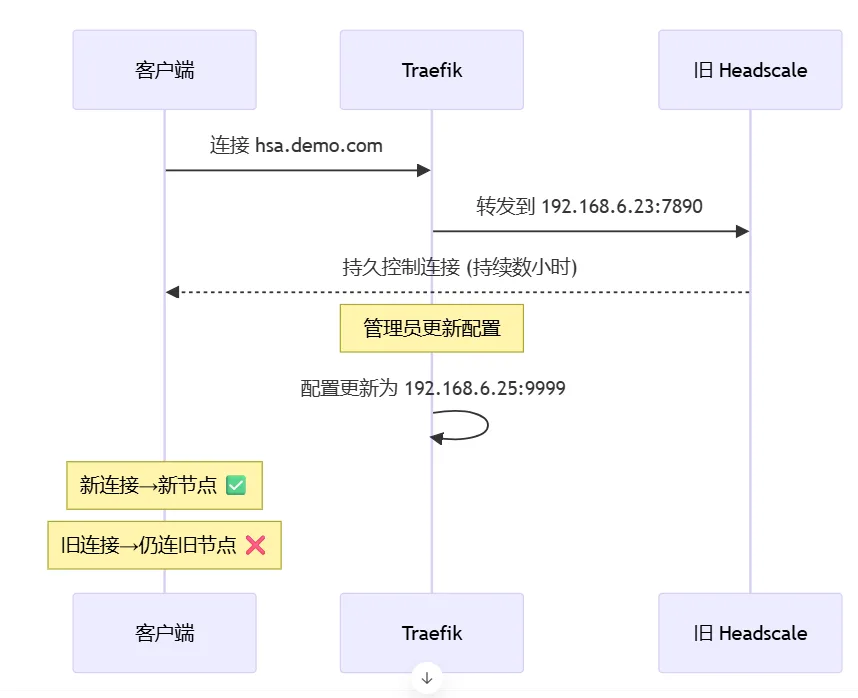
Existing TCP long-lived connections usually stay attached to the old backend even after proxy route updates.
Practical Migration Steps
1) Move user data
# Export user-specific data from old node
pg_dump -h node3-db -U headscale -t nodes -t ip_addresses \
  --where="user_id = (SELECT id FROM users WHERE name = 'hsa')" \
  > hsa_data.sql

# Update cluster_id and import into target node
sed -i 's/cluster_id: 3/cluster_id: 4/g' hsa_data.sql
psql -h node4-db -U headscale -d headscale < hsa_data.sql
2) Hot-update Traefik routing
http:
  routers:
    hsa-router:
      rule: "Host(`hsa.demo.com`)"
      service: "headscale-cluster4"
      entryPoints: ["https"]
curl -X POST http://traefik/api/providers/file?dynamic=true
3) Precisely cut old connection on source node
ss -K "dport = 7890 and src 203.0.113.5"
Clients usually reconnect to the new node within seconds using their existing node keys, without re-authentication.
Observed Results (from original post)
- Migration completion: typically under 15 seconds
- Client interruption: typically 1-5 seconds
- Re-authentication rate: near 0%
This article is mirrored on the Larktun blog. For source updates and original context, refer to: headscale-系列:Headscale-SaaS-环境下的用户无缝切换实战